Hidden Uses of the USB-C Port on the iPhone
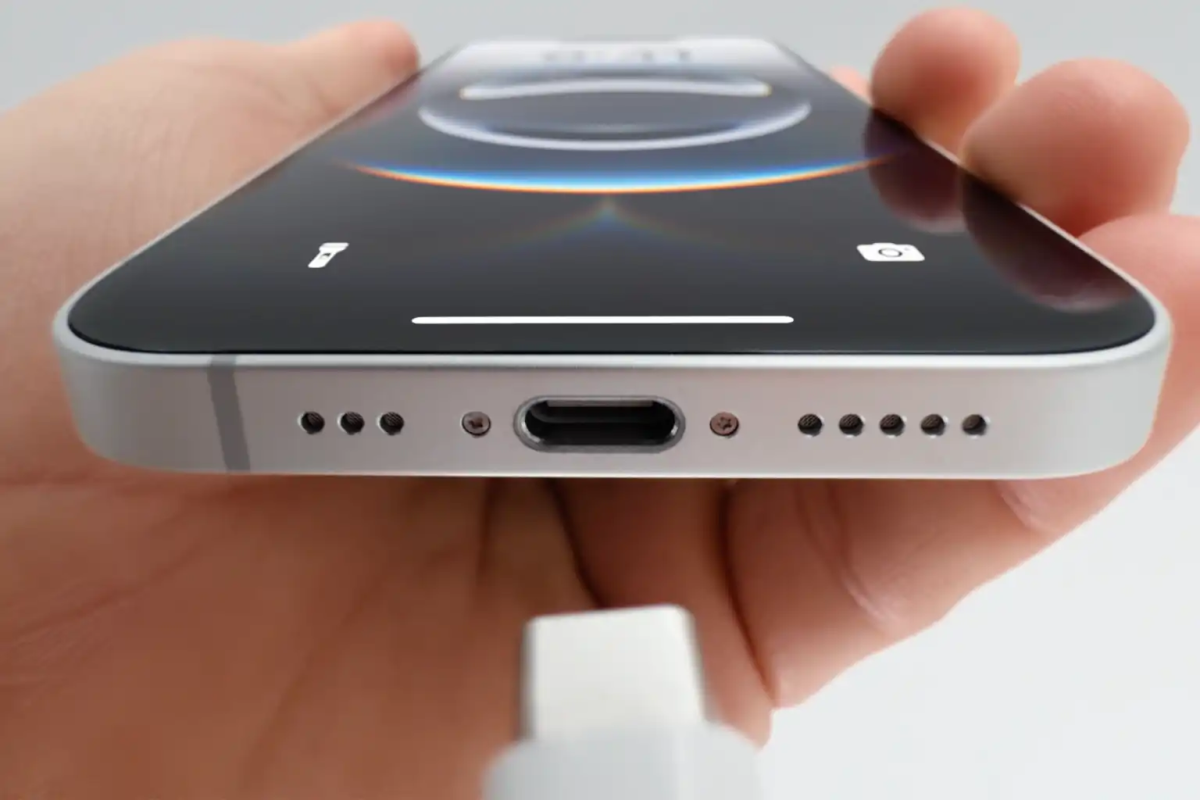
An extensive report published by the specialized tech website Macworld revealed that the USB-C port adopted by Apple harbors hidden technical capabilities far beyond mere charging and data transfer, supporting the connection of at least 15 types of accessories and peripherals unavailable with the previous Lightning port. The report confirmed that these capabilities, despite lacking media promotion, transform the phone into a comprehensive productivity and entertainment platform that competes with laptops in certain scenarios.
Citing technical experts, the report noted that Apple adhered to the USB 3.2 Gen 2 standard in the Pro models of the iPhone 15 and iPhone 16, enabling data transfer speeds of up to 10 gigabits per second, while standard models use the USB 2.0 standard with a speed of 480 megabits per second. This means professional users can transfer large ProRes files to external storage drives in seconds, rather than waiting minutes as was the case with the older port.
The report highlighted that the USB-C port supports DisplayPort Alt Mode, allowing the phone to be connected directly to external monitors or modern televisions without the need for complex adapters. The phone’s screen can be mirrored or extended for presentations or watching 4K HDR movies at 60 frames per second—a feature previously exclusive to iPad Pro devices.
Regarding power, the report clarified that the port is not limited to receiving charge; it can also output power up to 4.5 watts, enabling the emergency charging of small accessories such as AirPods or an Apple Watch. Although this capability is not as powerful as the reverse wireless charging offered by some Android phones, it provides an immediate solution when needed.
Below is an extended list of the key devices and accessories that can be connected to the iPhone’s USB-C port, according to the report:
1. External Monitors and Projectors: The phone can be connected directly to a Studio Display or any modern USB-C monitor, as well as to televisions via a USB-C to HDMI cable. When an external monitor is connected along with a keyboard and mouse, the phone transforms into a mini workstation capable of running multiple applications simultaneously on the large screen.
2. Emergency Reverse Charging: If AirPods or a small Apple Watch run out of battery, a USB-C to Lightning cable or a USB-C to Apple Watch charger can be used to charge them directly from the phone at 4.5 watts. This does not include charging other iPhones, as the output power is limited.
3. External Storage and Memory Cards: With speeds reaching 10 gigabits per second on Pro models, external SSDs or SD card readers can be connected to transfer photos and videos from professional cameras directly to the phone, where they can be edited in apps like Final Cut Pro for iPhone.
4. Wired Keyboards and Mice: A USB-C keyboard or one via a USB-A to USB-C adapter can be connected directly, along with a mouse, improving the experience for long typing sessions or precise control in spreadsheets.
5. Professional Audio Adapters: External audio interfaces and USB-C microphones can be connected to record podcasts or musical clips with studio quality, opening broad opportunities for audio content creators.
6. Wired Ethernet Adapters: To achieve ultra-stable and fast internet connectivity, a USB-C to Ethernet adapter can be connected, benefiting competitive gaming or downloading large files.
7. SD and microSD card readers: A small card reader can be connected to instantly import photos from cameras or drones into the phone’s photo library.
8. External cooling fans: As the phone heats up during gaming or video editing, small USB-C fans that attach to the back of the phone can be connected, reducing thermal throttling and helping to maintain high processor clock speeds.
10. External webcams: With apps like FaceTime and Zoom, an external USB-C camera can be connected to achieve significantly better image quality than the built-in front-facing camera.
11. Multi-port chargers and external batteries: Users can now carry a single USB-C charger to power their phone, headphones, and laptop simultaneously, and the phone itself can charge a small external battery if needed.
The report noted that many of these features work automatically without requiring complex settings, and that Apple has left the door open for developers to leverage the port in their apps, meaning potential uses will continue to expand steadily. It added that the new port eliminates the need to carry different types of cables while traveling and makes the user experience more consistent across Apple’s various devices, from MacBook to iPad to iPhone.
It is worth noting that the next generation of iPhones may see increased transfer speeds by adopting the USB4 or Thunderbolt standard, which would open the door to more demanding uses such as connecting external GPUs (eGPUs) and editing raw 8K video in real time.